
How to Withdraw from ArionPlay: Step-by-Step Guide
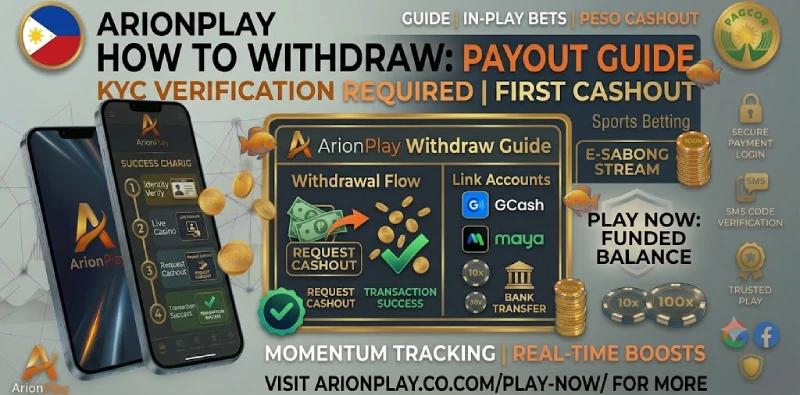
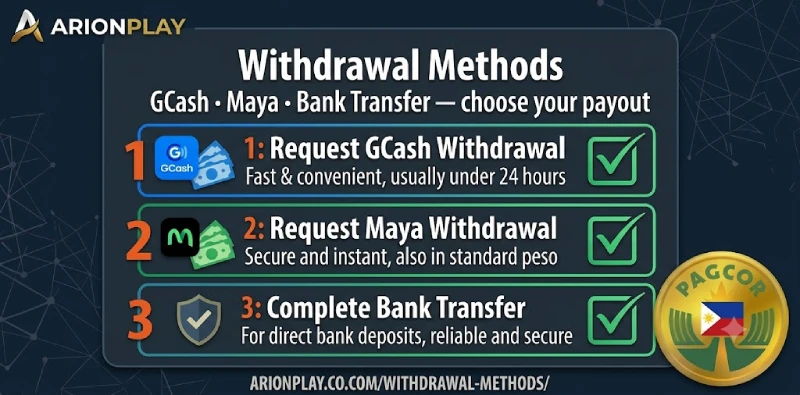
Withdrawing your winnings from ArionPlay is straightforward once your account is verified. The platform pays out via GCash, Maya, and bank transfer in pesos, with no platform fee on standard withdrawals. At ArionPlay, the cashout process opens in the same cashier you used to deposit — you select your withdrawal method, enter the amount, and confirm. This guide covers the full withdrawal steps, the KYC verification required before your first cashout, common reasons a withdrawal goes pending, and how to get it resolved quickly.
Withdrawal Quick Stats
| Methods | GCash, Maya, bank transfer |
|---|---|
| KYC required | Yes — must be completed before first withdrawal |
| Platform fee | None on standard withdrawals (PRODUCTION: verify fee structure on backend) |
| Currency | Philippine peso (₱) |
| Processing time | GCash and Maya: fast; bank transfer: longer (PRODUCTION: verify exact times) |
| Account requirement | Registered ArionPlay account, 21+, KYC approved |
Before You Withdraw: KYC Checklist
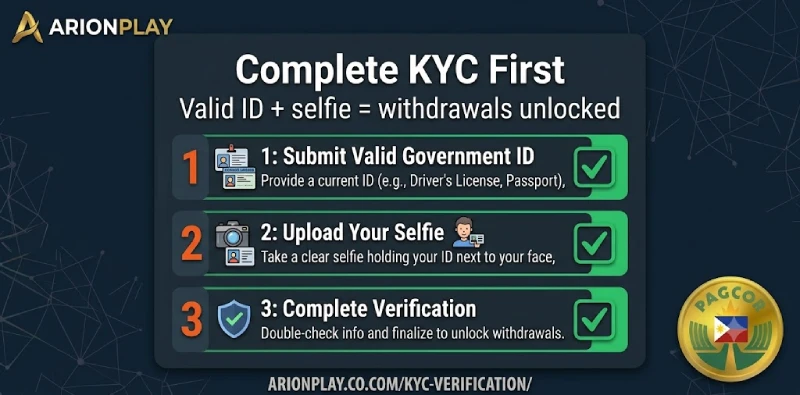
ArionPlay requires account verification (KYC — Know Your Customer) before processing any withdrawal. KYC is a standard anti-fraud measure required of all PAGCOR-licensed operators. Completing it early — immediately after registration — means your first ArionPlay withdrawal processes without delay.
To pass KYC at ArionPlay, you need three things. A valid Philippine government-issued ID: passport, driver’s licence, SSS ID, PhilHealth card, or Unified Multi-Purpose ID (UMID) are all accepted. A selfie photograph taken clearly showing your face. Your registered name on the ArionPlay account must exactly match the name on your ID and on your GCash or Maya withdrawal account — any mismatch causes the withdrawal to be held until the names are reconciled. Submit KYC documents in the Account or Verification section of your ArionPlay profile.
How to Withdraw from ArionPlay — Step by Step
Once KYC is approved, the withdrawal process runs through the same cashier as your deposits.
Step 1 — Log in to ArionPlay. Open sodalisgame.com or the ArionPlay app and log in with your mobile number and password.
Step 2 — Open the cashier. Go to the Cashier section in your account menu and select Withdrawal.
Step 3 — Choose your withdrawal method. Select GCash, Maya, or bank transfer. Use the same method your account is registered under — name matching between ArionPlay and your e-wallet is checked at this stage.
Step 4 — Enter your withdrawal amount. Type the peso amount you want to withdraw. The cashier shows your available balance and any applicable minimum or maximum for the selected method.
Step 5 — Confirm the withdrawal. Review the details and confirm. ArionPlay submits the withdrawal request. GCash and Maya cashouts process to your e-wallet once approved; bank transfers follow the bank’s processing schedule.
Withdrawal Methods & Limits
| Method | Speed | Min withdrawal | Fee |
|---|---|---|---|
| GCash | Fast | PRODUCTION: verify | None (standard) |
| Maya | Fast | PRODUCTION: verify | None (standard) |
| Bank transfer | Longer | PRODUCTION: verify | PRODUCTION: verify fee structure |
Why Is My Withdrawal Pending?
A withdrawal that sits on pending rather than completing usually has one of four causes. KYC is the most common: if your verification is still under review, withdrawals queue until the check clears. Submit your ID and selfie early and allow a few hours for review.
Name mismatch is the second cause. Your ArionPlay registered name must match the name on your GCash or Maya account exactly — including middle name formatting and spelling. A single character difference puts the withdrawal on hold. Contact ArionPlay support with proof of the discrepancy and they can assist with the correction.
Active wagering requirements on a bonus are the third cause. If you claimed a deposit bonus with a wagering requirement, withdrawals are restricted until the required turnover is met. Check the Promotions or Bonus section of your account to see your current wagering progress. The fourth cause is a temporary processing delay during high-traffic periods, which typically clears without any action on your part within a few hours. If a withdrawal sits pending beyond 24 hours, contact ArionPlay live chat with your withdrawal reference number.
Tips for Faster Withdrawals
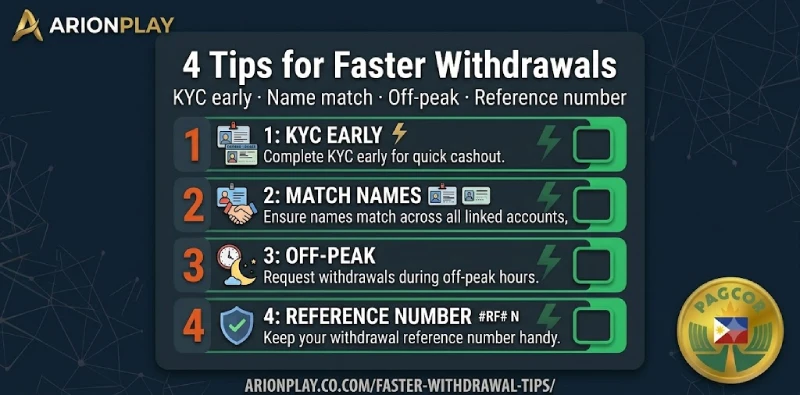
Four habits make every ArionPlay cashout smoother. Complete KYC the day you register rather than waiting until you want to withdraw — the approval window means a same-day submission may not clear in time for an immediate cashout. Use the same name across your ArionPlay account, your GCash account, and your government ID to avoid any mismatch hold. Withdraw during off-peak hours — early morning Philippine time — when platform processing queues are shorter. Keep a record of your withdrawal reference number each time you cashout so you have a specific reference if you need to contact support about a pending transaction.
Frequently Asked Questions
How long does an ArionPlay withdrawal take?
GCash and Maya withdrawals process quickly once approved by ArionPlay. Bank transfers follow the bank’s own processing schedule. Verify exact processing times on the ArionPlay cashier or with live chat support, as times can vary by method and account status.
Do I need to complete KYC before withdrawing?
Yes. KYC verification is mandatory before your first withdrawal at ArionPlay. Submit a valid Philippine government ID and a selfie through the Account or Verification section as soon as you register to avoid delays when you are ready to cashout.
What is the minimum withdrawal at ArionPlay?
Minimum withdrawal amounts vary by method. Check the ArionPlay cashier for current minimums on GCash, Maya, and bank transfer before submitting a withdrawal request.
Is there a fee to withdraw from ArionPlay?
ArionPlay charges no platform fee on standard withdrawals. Your e-wallet or bank may apply their own transaction fees, which vary by provider. Verify the current fee structure in the ArionPlay cashier before withdrawing.
What should I do if my withdrawal is stuck on pending?
Check that your KYC is approved and that your name matches your e-wallet account exactly. If both are in order and the withdrawal has been pending for more than 24 hours, contact ArionPlay live chat with your withdrawal reference number for a manual status check.
Ready to Cash Out?
Log in at sodalisgame.com, open the cashier, select Withdrawal, and choose GCash or Maya. For players who have not yet completed KYC, start there first — go to Account or Verification and submit your ID today so withdrawals are ready the moment you want them. For players aged 21 and over. See also the GCash deposit guide and the Maya deposit guide.