
How to Register at ArionPlay: Step-by-Step Guide
Creating an ArionPlay account takes under five minutes — you need a Philippine mobile number, a password, and a GCash or Maya wallet ready to fund your first deposit. ArionPlay is PAGCOR-licensed under NEMO-IG (Brand No. 41), so registration goes through a verified platform rather than an unofficial link. This guide walks through every step from opening the site to playing your first game.
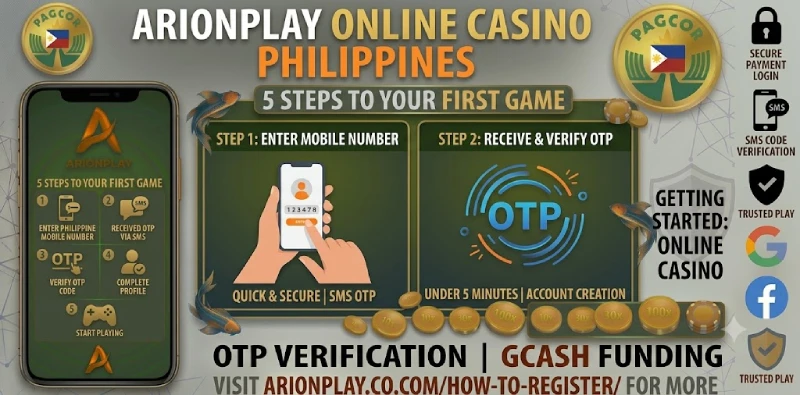
Registration Quick Stats
| Time to register | Under 5 minutes |
|---|---|
| What you need | Philippine mobile number, password, email (optional) |
| Age requirement | 21 and over |
| Verification | OTP via SMS to your mobile number |
| First deposit | ₱100 minimum via GCash, Maya, or bank transfer |
| Platform | ArionPlay — PAGCOR-licensed, NEMO-IG Brand No. 41 |
What You Need Before Registering
Before opening the registration form, check that you have three things ready. A Philippine mobile number is required — ArionPlay sends an OTP to verify your account, and the number becomes your primary login credential. You also need a password of at least eight characters, mixing letters and numbers. Finally, confirm you are 21 or over: ArionPlay is a PAGCOR-licensed gambling platform and registration is restricted to adults under Philippine gaming law. Players under 21 who attempt to register will fail the KYC check when submitting ID for their first withdrawal.
Having GCash or Maya ready before registering means you can deposit and claim your welcome bonus immediately after your account is verified, without returning to the cashier later. Keep your GCash app open on the same device so the deposit step flows without switching between apps. If you plan to use bank transfer instead of an e-wallet, have your bank account details and online banking login ready before you start the deposit step.
How to Register at ArionPlay — 5 Steps
Follow these five steps in order. Each one takes about a minute, and the whole process completes in a single session.
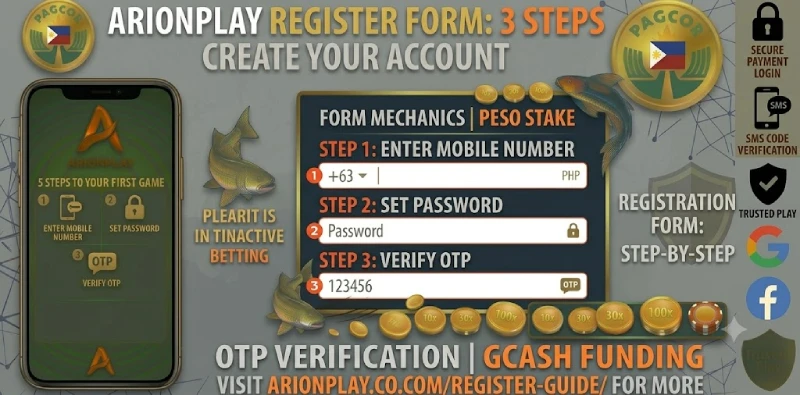
Step 1 — Open the official ArionPlay site. Go to sodalisgame.com on your browser or open the ArionPlay app. Tap the Register button at the top right of the screen. Only use the official site — do not register through third-party links or mirror domains.
Step 2 — Enter your mobile number. Type your Philippine mobile number in the registration field. This number receives your OTP and becomes your login username, so use the number you access regularly.
Step 3 — Set your password. Choose a strong password of at least eight characters with a mix of letters and numbers. Do not reuse passwords from other accounts, and do not share your password with anyone — including people claiming to be ArionPlay support.
Step 4 — Enter the OTP. ArionPlay sends a one-time passcode to your mobile number via SMS. Enter the OTP in the verification field before it expires. If the OTP does not arrive within two minutes, tap Resend.
Step 5 — Complete your profile and log in. Once the OTP is verified, your account is active. Log in with your mobile number and password, and head to the cashier to make your first deposit.
After You Register
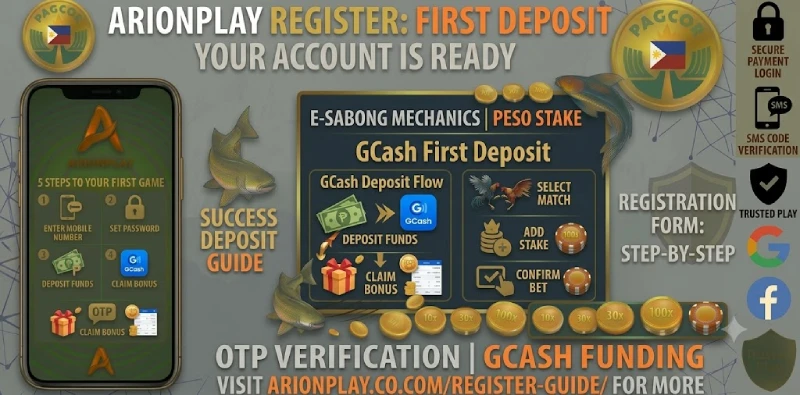
Your account is ready to use the moment registration completes, but two steps make the experience smoother from the start. First, make your initial deposit via GCash or Maya from ₱100 to unlock the first deposit bonus — the Promotions tab shows the current offer and its terms as soon as you log in. Second, note that withdrawals require KYC verification: submitting a valid government ID early means your first cashout processes without delay when you are ready to withdraw. The KYC process asks for one valid ID — a passport, driver’s licence, SSS, or PhilHealth card — and a short selfie verification. Most accounts clear KYC within a few hours of submission.
ArionPlay’s lobby opens immediately after login with the full game library: slots, live casino, fishing games, sports betting and more. The RTP Tracker in the slots section lets you check which games are paying well before you place your first spin, which is a useful starting point if you are new to the platform.
Registration Tips
A few habits prevent the most common registration errors. Always register from the official ArionPlay site rather than a link shared on social media — unofficial links sometimes lead to clone domains that are not connected to your real account. Use your real name when filling in profile details, since your withdrawal account name must match your registered name exactly or the cashout will be held for review. Keep your mobile number active on the same SIM after registration, because OTPs for password resets and login verification go to that number.
Do not create more than one account per person — ArionPlay’s terms restrict each player to a single account, and duplicate accounts are flagged during KYC and can result in a suspension. If you receive a registration confirmation message from a number or email you do not recognise, do not click any links — contact ArionPlay support directly through the official live chat on the site. Storing your password in your phone’s password manager rather than writing it down is the safest way to keep your credentials secure after registration.
Frequently Asked Questions
What do I do if I forget my ArionPlay password?
Tap Forgot Password on the login screen and enter your registered mobile number. ArionPlay sends an OTP to that number, which you use to set a new password. Keep your mobile number active and accessible to use this reset at any time.
What if my OTP does not arrive?
Wait two minutes, then tap Resend OTP. If the OTP still does not arrive, check that you entered your mobile number correctly and that your SIM has signal. If the problem continues, contact ArionPlay live chat support from the official site.
What is the minimum age to register at ArionPlay?
You must be 21 years old or over to register and play at ArionPlay under Philippine gaming law.
Do I need to submit a valid ID to register?
Registration itself only requires a mobile number and OTP. A valid government ID is required later for KYC verification, which is mandatory before your first withdrawal. Submitting your ID early speeds up the withdrawal process when you are ready to cash out.
Can I claim a bonus after registering?
Yes. ArionPlay’s first deposit bonus activates when you make your initial deposit after registration. Check the Promotions tab for the current bonus terms, minimum deposit, and wagering requirements before depositing.
Ready to Register?
Head to sodalisgame.com, tap Register, and have your Philippine mobile number ready. The account is active in under five minutes. Once you are in, see the full guide on how to deposit with GCash to fund your account and start playing. For players aged 21 and over.