
KYC Verification at ArionPlay: How to Verify Your Account
KYC — Know Your Customer — is the identity verification process that ArionPlay completes before releasing your first withdrawal. It is a legal requirement under Philippine law and PAGCOR regulations, and it protects both players and the platform from fraud and financial crime. Completing KYC early — immediately after registration — means your withdrawal is processed without delay when you are ready to cash out.
What Is KYC and Why Is It Required?
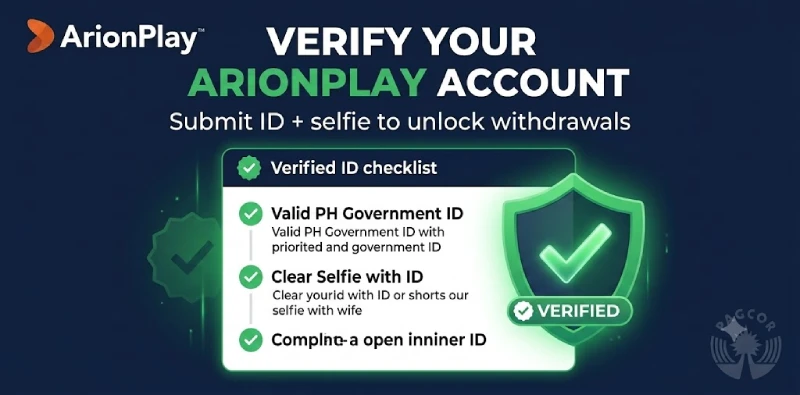
KYC stands for Know Your Customer, the process of verifying a player’s identity before allowing withdrawals. ArionPlay is required to conduct KYC under the Philippine Anti-Money Laundering Act (RA 9160 as amended) and PAGCOR licensing conditions. These laws require all licensed gambling operators to verify the identity of players who receive payouts, to prevent fraud, underage gambling, money laundering, and the misuse of player accounts.
KYC also protects you as a player. Verified accounts are less vulnerable to takeover by third parties, and the name-matching requirement ensures that withdrawals can only be directed to a payment method registered under your own name.
When Is KYC Required?
KYC verification is mandatory before your first withdrawal from ArionPlay. It may also be triggered at any point during your Account if the Company identifies risk indicators, if your transaction volume increases significantly, or if required by a regulatory request. Submitting KYC documents immediately after registration is the best way to avoid delays when you are ready to cash out.
Required Documents
ArionPlay accepts the following documents for KYC verification. All documents must be valid, unexpired, and clearly legible. Scanned images, clear photographs taken with a smartphone, and digital copies are accepted where the document text and photograph are fully visible.
| Document type | Accepted forms | Purpose |
|---|---|---|
| Primary Photo ID | Philippine Passport, Driver’s Licence, SSS ID, PhilHealth card, UMID, Voter’s ID, PRC ID | Identity and age verification |
| Selfie with ID | Clear selfie photograph holding your primary ID, face and ID both visible | Confirms document is in your possession |
| Proof of Payment Method | Screenshot of your GCash or Maya account showing your registered name and mobile number | Confirms withdrawal method ownership and name match |
| Source of Funds (if requested) | Employment certificate, payslip, bank statement, business registration — required for higher-volume accounts | Required under AML regulations for certain account risk profiles |
The name on your primary ID must exactly match the name registered on your ArionPlay Account and the name on your GCash or Maya withdrawal account. A discrepancy in any of these will cause the withdrawal to be held until the names are reconciled.
How to Submit KYC Documents
Follow these steps to complete KYC verification on ArionPlay.
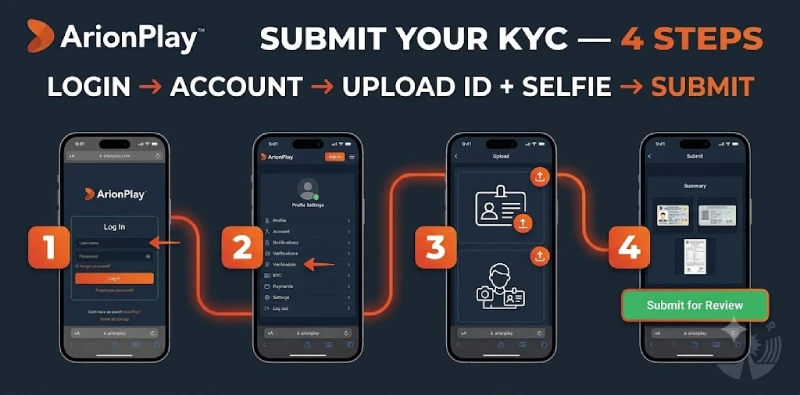
- Step 1 — Log in to ArionPlay. Open sodalisgame.com or the app and log in with your mobile number and password.
- Step 2 — Go to Account or Verification. Navigate to your Profile or Account section and look for the Verification or KYC tab. This section shows your current verification status and the documents required.
- Step 3 — Upload your primary ID. Take a clear photograph of your government-issued ID — front and back if applicable — ensuring all text, photograph, and security features are visible. Upload the image in the designated field.
- Step 4 — Upload your selfie. Take a clear selfie photograph of yourself holding your ID, with both your face and the ID clearly visible. Make sure the photo is taken in good lighting and is not blurry.
- Step 5 — Submit and wait for review. Tap Submit. ArionPlay will review your documents and notify you of the outcome via your registered mobile number or email. Most accounts are verified within a few hours of submission during business hours.
KYC Processing Time
ArionPlay aims to review and process KYC submissions within a few hours during normal operating hours. During peak periods, verification may take up to 24 hours. If your KYC has not been processed after 24 hours, contact ArionPlay support via live chat with your submission reference number.
Verification Levels
ArionPlay operates two levels of account verification. Standard Verification — completed with a primary photo ID and selfie — is sufficient for most players and unlocks full withdrawal rights up to standard transaction limits. Enhanced Verification — which additionally requires proof of source of funds — is applied to higher-volume accounts as required under AML regulations. If Enhanced Verification is required on your Account, the support team will contact you with specific instructions.
Frequently Asked Questions
Can I play before completing KYC?
Yes. You can deposit and play immediately after registration without completing KYC. KYC is only required before your first withdrawal.
What if my name does not match across my ID and e-wallet?
Your ArionPlay registered name, government ID name, and GCash or Maya account name must match exactly. If there is a discrepancy, contact ArionPlay support before submitting KYC so the team can advise on the correct resolution.
Is my ID data stored securely?
Yes. Identity documents submitted for KYC are stored with encryption and access controls in line with the Philippine Data Privacy Act. They are retained for the period required by AMLA regulations and then deleted. See our Privacy Policy for full details.
What if my KYC is rejected?
If your submission is rejected, ArionPlay support will notify you of the reason and the steps required to resubmit. Common rejection reasons include illegible document photographs, expired documents, and name mismatches. Resubmit with the corrected documents and the review will be processed again.
Contact for KYC Support
For assistance with KYC submission or verification status, contact ArionPlay support via live chat at sodalisgame.com at any time. See also our AML Policy, withdrawal guide, and Privacy Policy.