
ArionPlay Frequently Asked Questions
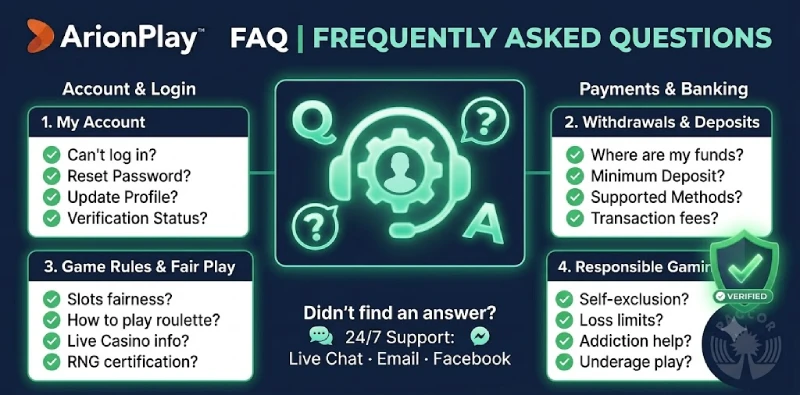
This page answers the questions ArionPlay players in the Philippines ask most often — from account setup and GCash deposits to KYC, withdrawals, bonuses, and closing your account. If your question is not covered here, contact our support team via live chat on sodalisgame.com at any time.
Account & Registration
How do I register an ArionPlay account?
Go to sodalisgame.com and tap Register. Enter your Philippine mobile number, set a password, and verify with the OTP sent to your mobile. Your account is active once the OTP is confirmed. The full step-by-step guide is on our registration page.
What is the minimum age to register at ArionPlay?
You must be 21 years old or over under Philippine gaming law. Age is verified at registration via OTP and confirmed through KYC identity verification before the first withdrawal.
Can I have more than one ArionPlay account?
No. Each player may hold only one account. Creating duplicate accounts is a breach of the Terms and Conditions and may result in suspension of all related accounts and forfeiture of balances.
What do I do if I forgot my ArionPlay password?
Tap Forgot Password on the login screen and enter your registered mobile number. ArionPlay sends an OTP to that number, which you use to set a new password. Keep your mobile number active and accessible at all times to use this reset function.
Is ArionPlay legit and licensed?
Yes. ArionPlay is licensed by PAGCOR (Philippine Amusement and Gaming Corporation) and operated by NEMO Interactive Group Corporation under Brand No. 41. The platform is also a founding member of the PlaySafe Alliance of the Philippines. Full details are on our About page.
How do I delete my ArionPlay account?
To permanently close your ArionPlay account, contact our support team via live chat or email and submit a written request to close your account. Before processing the closure, the team will confirm your identity, ensure any pending withdrawals are processed, and provide information about any active bonuses that will be forfeited. Account closure is permanent and cannot be reversed. If you want a temporary break rather than permanent closure, consider requesting a cooling-off period or self-exclusion instead — both are available without closing your account. See our Responsible Gaming page for details on self-exclusion options.
Deposits
How do I deposit with GCash at ArionPlay?
Log in, open the cashier, select GCash, enter your amount (minimum ₱100), and confirm in the GCash app. The balance credits instantly. Full instructions are on our GCash deposit page.
How do I deposit with Maya at ArionPlay?
Log in, open the cashier, select Maya, enter your amount from ₱100, and confirm in the Maya app. Deposits credit within seconds. See the full guide on our Maya deposit page.
What is the minimum deposit at ArionPlay?
The minimum deposit is ₱100 per transaction via GCash, Maya, or bank transfer. ArionPlay charges no platform fee on deposits.
My GCash deposit did not credit — what should I do?
Open the GCash app and check your transaction history. If GCash shows the transaction as successful but ArionPlay has not credited your balance after two minutes, contact live chat with the GCash reference number and a screenshot of the transaction. Do not deposit again before confirming the first transaction failed.
Withdrawals & KYC
How do I withdraw my winnings from ArionPlay?
Log in, open the cashier, select Withdrawal, choose GCash or Maya, enter your amount, and confirm. KYC verification must be completed before your first withdrawal. Full instructions are on our withdrawal guide.
Why is my withdrawal pending?
The most common reasons are incomplete KYC verification, a name mismatch between your ArionPlay account and your GCash or Maya account, or an active bonus wagering requirement that has not been met. Contact live chat with your withdrawal reference number for a specific status check.
Do I need to complete KYC before withdrawing?
Yes. KYC verification — submitting a valid government ID and selfie — is mandatory before your first withdrawal. You can deposit and play immediately after registration without KYC, but withdrawals require a verified account. Submit KYC early to avoid delays. See our KYC verification page.
What documents are accepted for KYC at ArionPlay?
Accepted documents include a Philippine passport, driver’s licence, SSS ID, PhilHealth card, UMID, Voter’s ID, or PRC ID. You also need a selfie photograph holding your ID, and a screenshot of your GCash or Maya account showing your registered name.
How long does a withdrawal take?
GCash and Maya withdrawals are processed as quickly as operationally possible once your request is approved. Bank transfers are subject to the receiving bank’s processing schedule. Verify current processing times with live chat support, as they may vary by method and account status.
Games & Betting
What games are available at ArionPlay?
ArionPlay offers 500+ games including slots from JILI, PG Soft and Pragmatic Play, live casino tables powered by Evolution (baccarat, roulette, dragon tiger, Color Game), fishing games, and sports betting. Browse the full lobby on the ArionPlay homepage.
Is ArionPlay’s Color Game fair?
Yes. The Color Game runs live with a real host and real dice, streamed from a professional studio. Every result is visible in real time on screen, with no software deciding the outcome. The platform runs under PAGCOR license and NEMO-IG oversight.
How does the RTP Tracker work?
ArionPlay’s live RTP Tracker shows real-time return-to-player percentages across slots, updated continuously. It categorises games as “On Fire” (high recent payout rates) or “Frozen” (lower recent rates) to help you choose tables with more information before you play.
Bonuses & Promotions
What bonuses does ArionPlay offer?
ArionPlay runs a first deposit bonus of ₱1,000, a 3 deposits bonus of up to ₱900, daily sign-in rewards of ₱27, an invite-and-earn programme (2.5% + ₱1,430 per referral), and tiered cashback (2.5% Hot Slot, 2.0% SG, 1% Hot EVO). See the full list on our Promotions page.
What is the wagering requirement on bonuses?
The standard wagering requirement is 30x the bonus amount unless the specific promotion states otherwise. The maximum bet while a wagering requirement is active is ₱500 per spin or bet round. See the full bonus terms on our Terms and Conditions page.
Security & Privacy
How does ArionPlay protect my personal data?
ArionPlay collects and processes personal data under the Philippine Data Privacy Act of 2012 (RA 10173). Data is protected with SSL encryption in transit and access-controlled storage at rest. Identity documents are retained only for the period required by AMLA regulations. See our Privacy Policy for full details.
What should I do if I think my account has been accessed without my permission?
Contact ArionPlay live chat immediately. Our team will temporarily lock the account, investigate the access, and assist with credential reset. Do not share your password or OTP with anyone, including people claiming to be ArionPlay staff.
Responsible Gaming
How do I set a deposit limit on ArionPlay?
Deposit limits can be set through your account settings or by contacting live chat support. Daily, weekly, and monthly limits are available. Reductions take effect immediately; increases require a waiting period. See our Responsible Gaming page.
How do I self-exclude from ArionPlay?
Contact ArionPlay live chat or email and state clearly that you wish to self-exclude and the duration — 1 month, 3 months, 6 months, 12 months, or permanently. Self-exclusion takes effect immediately without requiring justification. During self-exclusion you cannot log in, deposit, or place bets on ArionPlay or any NEMO-IG operated platform.
Still Have a Question?
Contact ArionPlay support via live chat at sodalisgame.com — available 24/7 in English and Filipino. You can also reach us at our contact page. For players aged 21 and over.